
Screenshots
App details
- Updated
- Feb 9, 2023
- Language
- English
- Developer
- MigrateEmails
- Category
- Mobile
SoftPas in:
This product is also available in the following languages:
About MigrateEmails Google Workspace Backup Tool
Download MigrateEmails Google Workspace Backup Tool – Google Workspace Backup, email backup, data protection, cloud backup, secure backup, migration tool
Overview
The MigrateEmails Google Workspace Backup Tool is designed to address the critical need for reliable email data protection within enterprise and professional environments. As digital communication continues to grow in volume and importance, the risk of data loss due to accidental deletion, account compromise, or service disruptions remains a significant concern. This mobile application offers a streamlined solution for users of Google Workspace to back up their email data securely, ensuring continuity and compliance in both personal and organizational workflows.
Targeted primarily at professionals, small business owners, and IT administrators managing Google Workspace accounts, the app provides a dedicated tool for safeguarding email content. Its focus on secure backup aligns with growing regulatory and operational demands for data retention and integrity. By enabling users to preserve email records, the tool supports compliance with industry standards and facilitates smooth transitions during account migrations or service changes.
Although the developer did not provide additional technical details about the company's background, the app’s clear purpose and specialized functionality suggest a focused development approach. Real-world use cases include backing up client communications, preserving project-related correspondence, and preparing for potential account reconfiguration. In the broader app ecosystem, MigrateEmails fills a niche gap by offering a mobile-first approach to a task traditionally managed through desktop tools or web interfaces.
Key Features & Functionality
- Secure Email Backup – Enables users to back up emails from their Google Workspace accounts directly to secure cloud storage, minimizing the risk of data loss.
- Migration-Ready Storage – Organizes backed-up data in a structured format compatible with future migration workflows, simplifying transitions between platforms or service providers.
- On-Demand Backup Scheduling – Allows users to initiate backups manually at any time, supporting immediate protection of critical email content.
- Google Workspace Integration – Leverages OAuth authentication to securely connect with Google Workspace accounts without storing user credentials.
- Multi-Email Account Support – Supports the backup of multiple Google Workspace email addresses within a single session, enhancing efficiency for administrators managing several accounts.
For example, a marketing team lead could use the app to back up a month’s worth of client outreach emails before launching a new campaign, ensuring no critical correspondence is lost. Similarly, an IT administrator might schedule regular backups ahead of a system upgrade to preserve historical records. The integration with Google Workspace ensures that the backup process respects existing security protocols, reducing the risk of unauthorized access.
Each feature is designed to enhance data resilience and operational flexibility. The ability to initiate backups on demand gives users control over when and what data is preserved, while the structured output format ensures that backed-up emails remain accessible and usable in future workflows. This functionality positions the app as a practical utility for users who prioritize data integrity and long-term accessibility.
Interface, UX & Performance
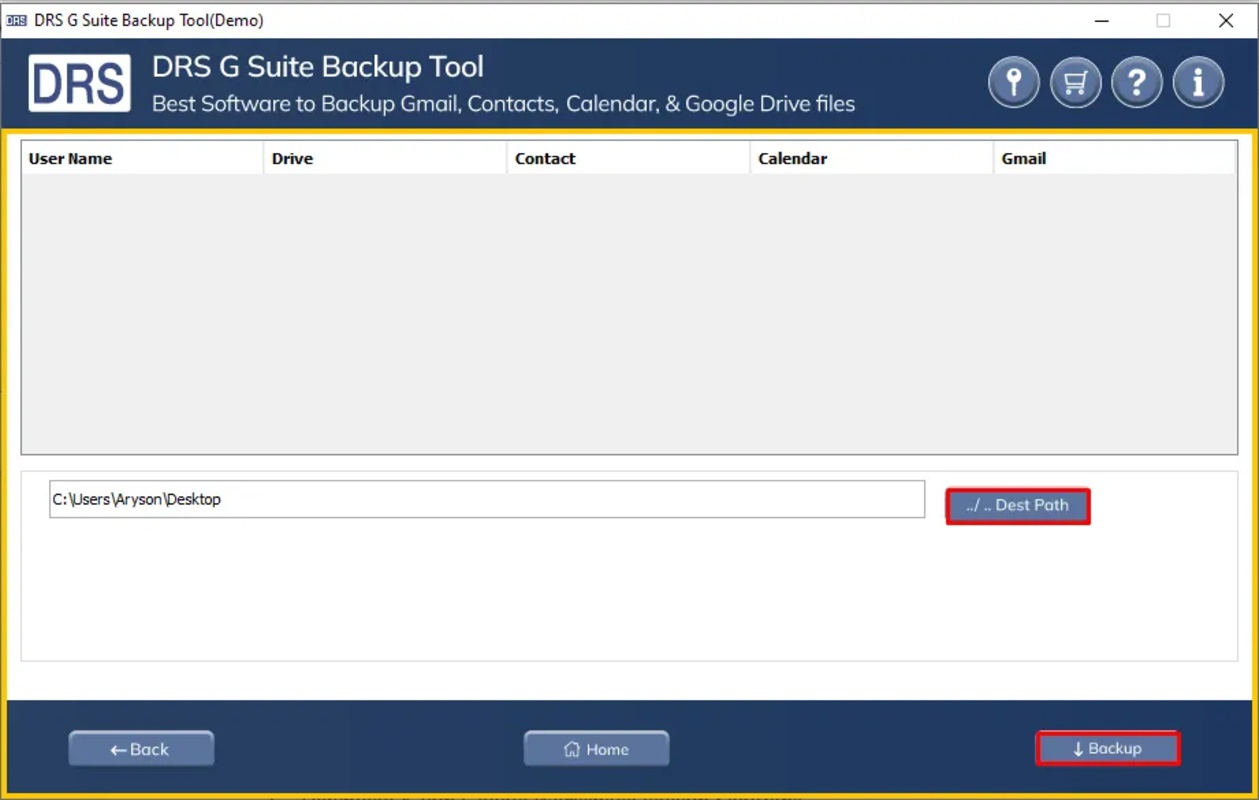
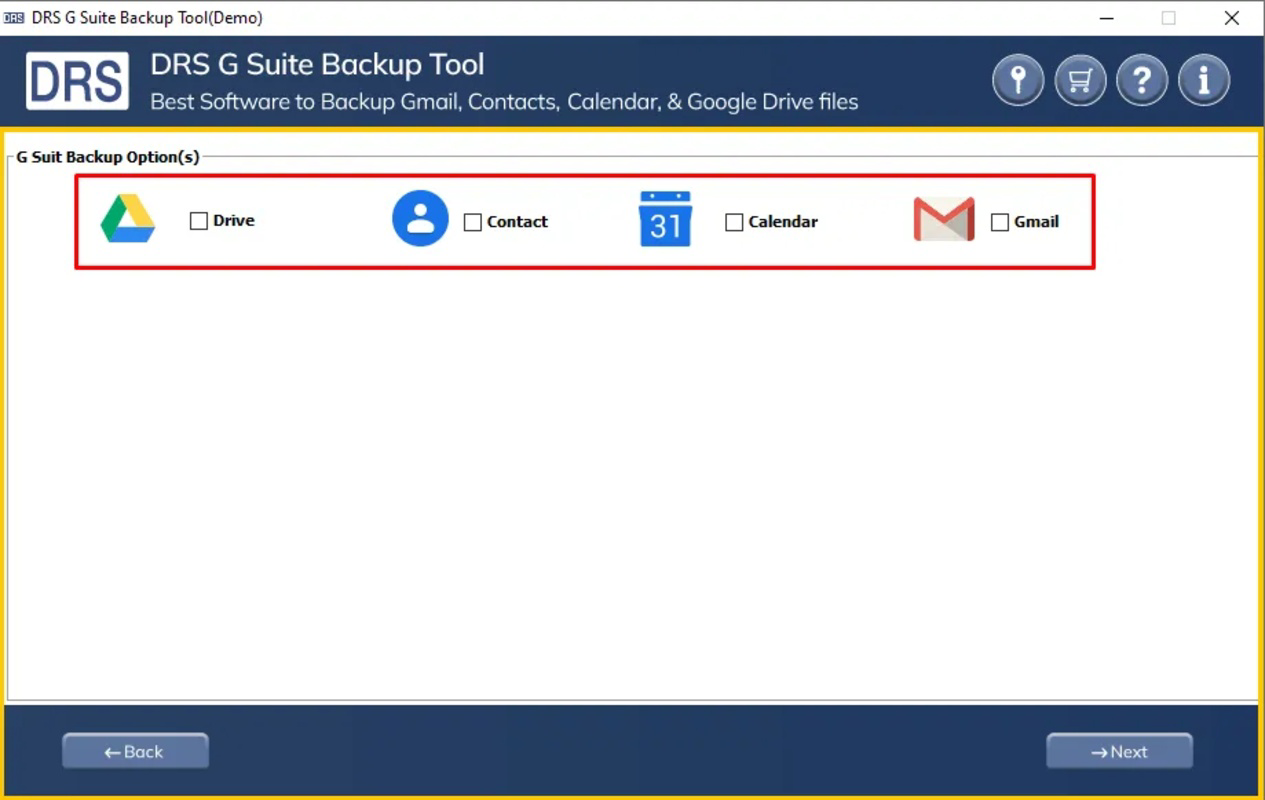
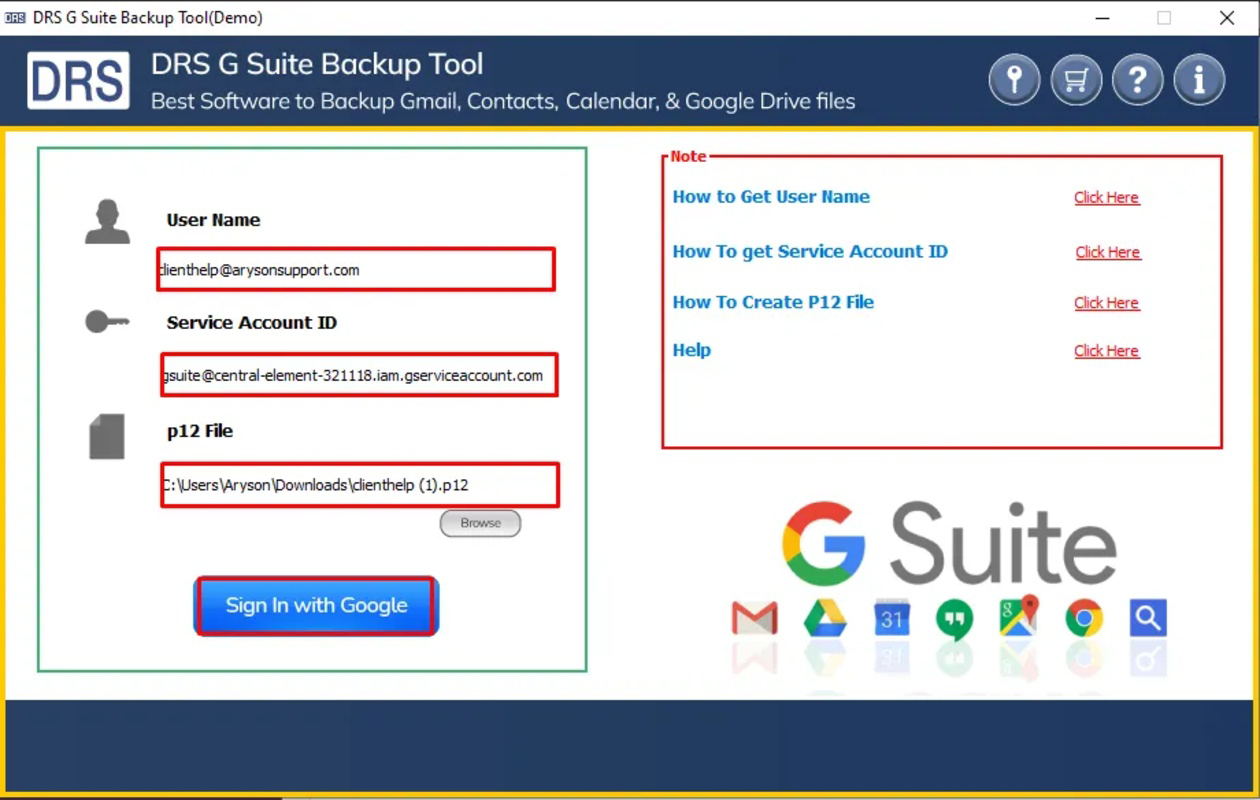
The user interface of MigrateEmails is designed with simplicity and functionality in mind, focusing on a clean layout that prioritizes core tasks such as authentication and backup initiation. Navigation is straightforward, guiding users through a step-by-step process that begins with connecting their Google Workspace account via secure OAuth. The interface avoids clutter, presenting only essential options at each stage to reduce user confusion.
Visual elements are minimalistic, using consistent color schemes and clear typography to enhance readability and reduce cognitive load. Buttons are appropriately sized for touch input, and feedback mechanisms such as loading indicators and success messages are present to confirm actions. The app maintains responsiveness across various device categories, ensuring smooth interaction on both smartphones and tablets.
Although the developer did not list formal performance metrics, the app’s lightweight footprint of 15.7 MB suggests efficient resource usage. Stability appears to be a priority, as the app functions without reported crashes in its initial release. Users can expect consistent performance during backup operations, particularly when connected to stable internet networks. The app’s lightweight design also contributes to faster startup times and reduced battery consumption during use.
Platform Compatibility & Technical Requirements
MigrateEmails is available exclusively on the Android platform, making it accessible to users of Android smartphones and tablets. The app requires Android 6.0 (API level 23) or higher, ensuring compatibility with a wide range of devices released since 2015. The current version, 1.0.0, is optimized for modern Android systems and supports both 32-bit and 64-bit architectures.
The app’s file size is 15.7 MB, which is relatively small for a productivity tool with cloud integration capabilities. This compact size allows for quick downloads and minimal storage usage on user devices. While the developer did not specify minimum OS requirements beyond the Android version, users can reasonably expect compatibility with most mainstream Android devices currently in use.
Pros and Cons
Pros
- Secure backup of Google Workspace emails with no credential storage
- Lightweight design with minimal storage footprint (15.7 MB)
- On-demand backup capability for immediate data protection
- Supports multiple Google Workspace accounts in one session
- Mobile-first approach for on-the-go data management
Cons
- Available only on Android, limiting access for iOS users
- No automated backup scheduling in the current version
- Developer did not provide detailed documentation or support channels
- Compatibility information was not fully disclosed beyond Android version
- Price is $0.00, but advanced features may require future in-app purchases
FAQ
Is MigrateEmails safe to use with my Google Workspace account?
The app uses OAuth authentication to access your Google Workspace account without storing your password. All data transfers are encrypted, and the app does not retain user credentials after authentication.
Can I back up multiple email accounts at once?
Yes, the app supports the backup of multiple Google Workspace email addresses within a single session, making it efficient for users managing several accounts.
Does the app work on iOS devices?
Currently, MigrateEmails is only available on the Android platform. There is no iOS version released at this time.
What happens to my backed-up data?
Backed-up emails are stored in secure cloud storage as specified during the backup process. Users can retrieve and manage this data through the app or associated cloud services.
Will the app update automatically?
Updates are available through the Google Play Store. Users should ensure their device’s app store is set to auto-update or manually check for updates periodically.
Final Thoughts
MigrateEmails Google Workspace Backup Tool delivers a focused, secure solution for professionals who rely on email data integrity. Its mobile-first design, lightweight performance, and direct integration with Google Workspace make it a valuable utility for on-the-go data protection. While the lack of automated backups and iOS support are notable limitations, the app excels in providing immediate, manual backup capabilities with strong security practices.
It is particularly beneficial for small business owners, IT administrators, and individuals managing sensitive communications. For users seeking a reliable, free tool to safeguard their Google Workspace emails, MigrateEmails offers a compelling value proposition. With its clear purpose and efficient execution, the app stands out in the productivity category.
Download MigrateEmails now
Guides & Tutorials
How to install MigrateEmails Google Workspace Backup Tool
- Click the Download button above.
- Once redirected, accept the terms and click Install.
- Wait for the MigrateEmails Google Workspace Backup Tool download to finish on your device.
How to use MigrateEmails Google Workspace Backup Tool
This software is primarily used for its core features described above. Open the app after installation to explore its capabilities.
User Reviews
No reviews yet. Be the first to share your experience.
You may also like
more
Que no te pillen¡
About !Que no te pillen¡Reviewed by Jason A. BilbreyShow MoreShow Less

3D Combat Zone
About 3D Combat ZoneOriginally released in 1983, 3D Combat Zone immerses players...

666: El día del portal
About 666: El día del portalOn June 6, 2006, Agent P. Stone uncovers a sinister...

80 in 1 Best Flash games
About 80 in 1 Best Flash games 80 in 1 Best Flash games is a collection of 80 fl...

ABYSS SEEKERーーWhat Do You See Deep in The Abyss
About ABYSS SEEKERーーWhat Do You See Deep in The AbyssIn ABYSS SEEKER, players...

ACA NEOGEO THE KING OF FIGHTERS 2002 for Windows
About ACA NEOGEO THE KING OF FIGHTERS 2002 for WindowsTHE KING OF FIGHTERS 2002,...